Ticket · GitHub · Linear
Turn an issue into a pull request
Hand off a bounded change. Optio runs the agent in a worktree, tracks CI and review, and can resume it with feedback before a configured merge.
Build a PR workflowSelf-hosted. Open source. Yours.
Ship a change. Automate the routine. Pick up a session from your phone. Optio brings your agents together on your Kubernetes cluster and your own machines.
Pick the agent for the job
From a quick task to a daily workflow
Code changes are a starting point. The same prompts, triggers, and connections support the work around them, too.
Ticket · GitHub · Linear
Hand off a bounded change. Optio runs the agent in a worktree, tracks CI and review, and can resume it with feedback before a configured merge.
Build a PR workflowSchedule · Manual
Keep dependencies current, prepare a morning briefing, or run a shell command. Save the instructions once and keep a history of each run.
Schedule recurring workWebhook · Slack · PagerDuty · Pylon
Investigate a failed deployment, research a support escalation, or draft an answer for a teammate. Event payloads become parameters in your prompt.
Connect a triggerYour machine · Your CLI login
Pair a machine with Optio Local. Run an agent or shell in an allowed directory, then return to the same session from your browser or phone.
Explore local sessionsMessages · Persistent agents
Give a coordinator, researcher, and reviewer their own instructions. Agents can message one another and wake on demand instead of starting from scratch each time.
Explore agent teamsOrganization · Shared control
Create an expiring, revocable link for a teammate to view and control a session. Organization sign-in is required; sharing grants access to the session’s environment.
Read about collaborationMeet your workspace
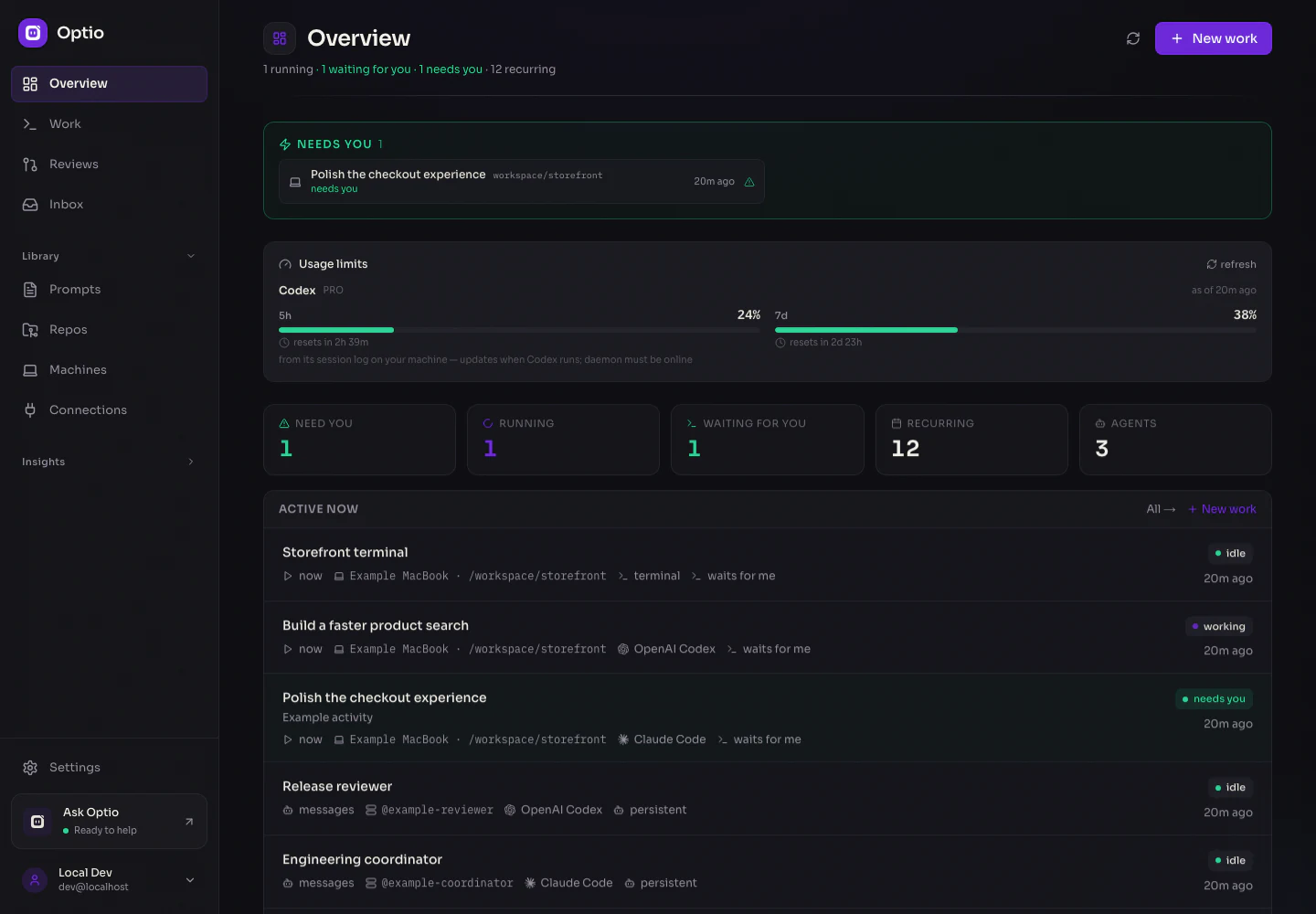
Move from the big picture to the conversation, the terminal, or the next run. The same work stays connected throughout.
Keep one-off tasks, recurring automations, local sessions, and persistent agents in the same feed. See what is running, what finished, and what needs you.
 View full size ↗
Choose When, Where, Who, What, and Then. Start with the trigger, choose a pod or your machine, and pick the agent and prompt. A plain-language summary tells you what will happen.
 View full size ↗
Read the conversation, use the terminal, or open a shell in the same directory. Split sessions side by side and resize the session list. Your pane arrangement stays on this device.
 View full size ↗
Create named specialists with their own instructions and inboxes. They can wake on messages, work together through the inter-agent API, and wait between turns.
 View full size ↗
Follow a run through its logs and results. Track PRs, review feedback, and costs where available, then return to the work when you need the context again.
 View full size ↗
Real Optio screens with fictional example data. Activity and usage in this tour are simulated.
A real app in your pocket
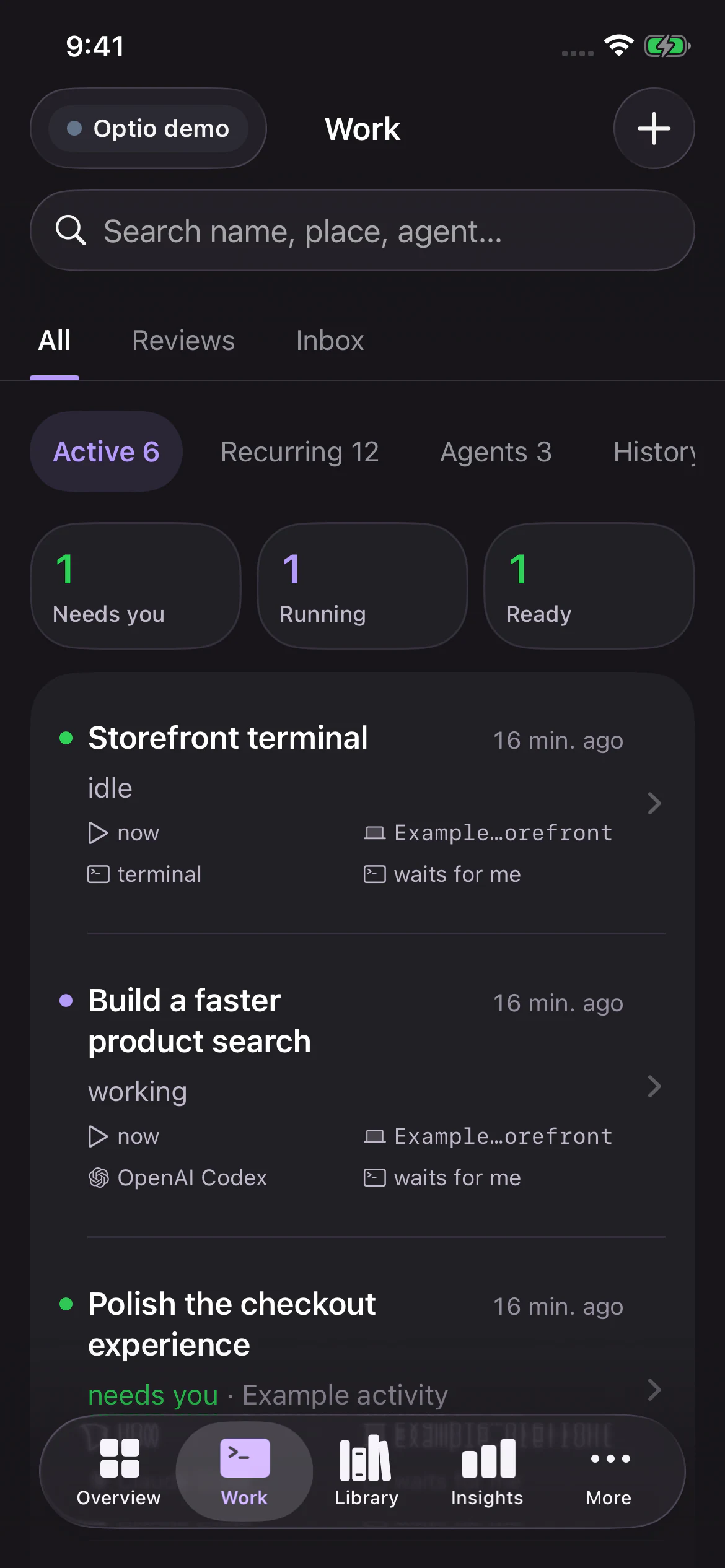
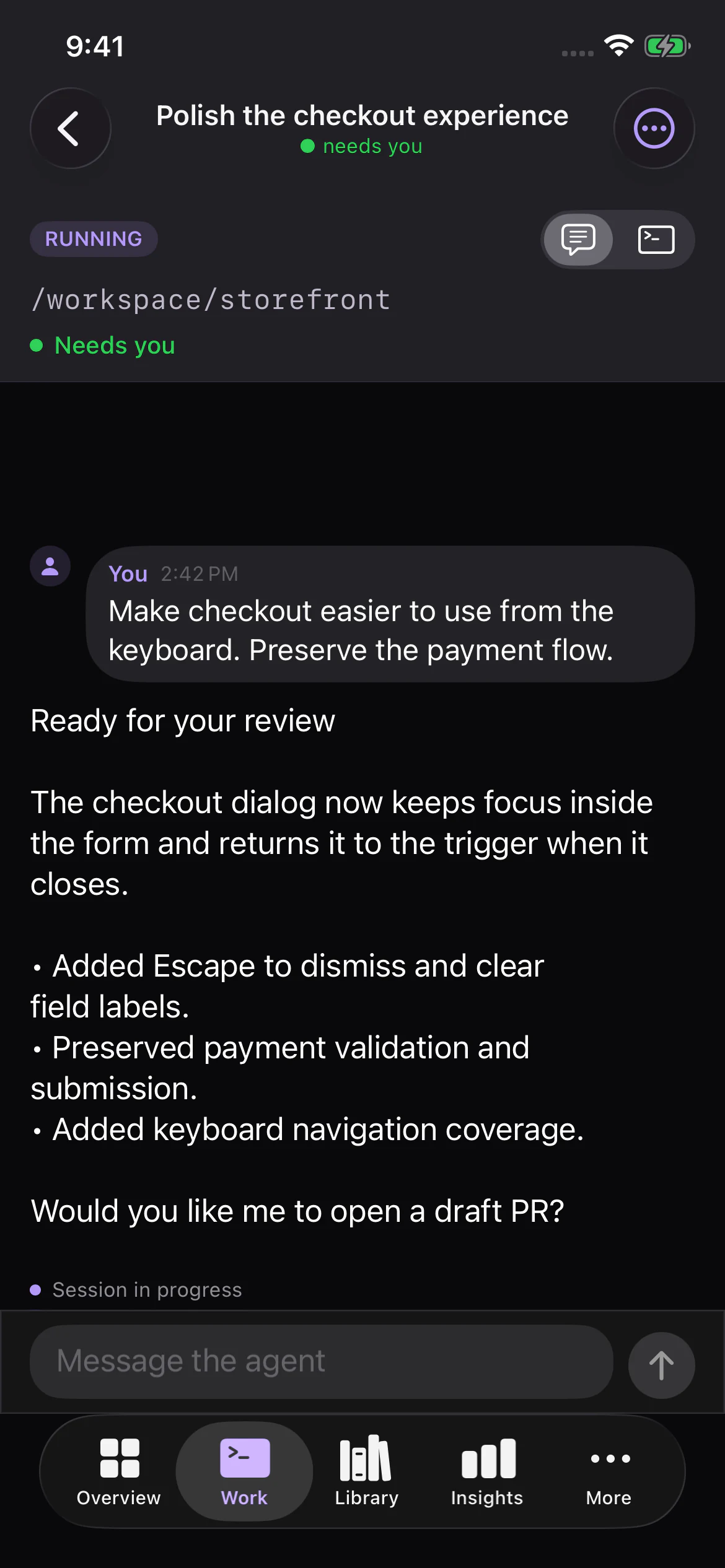
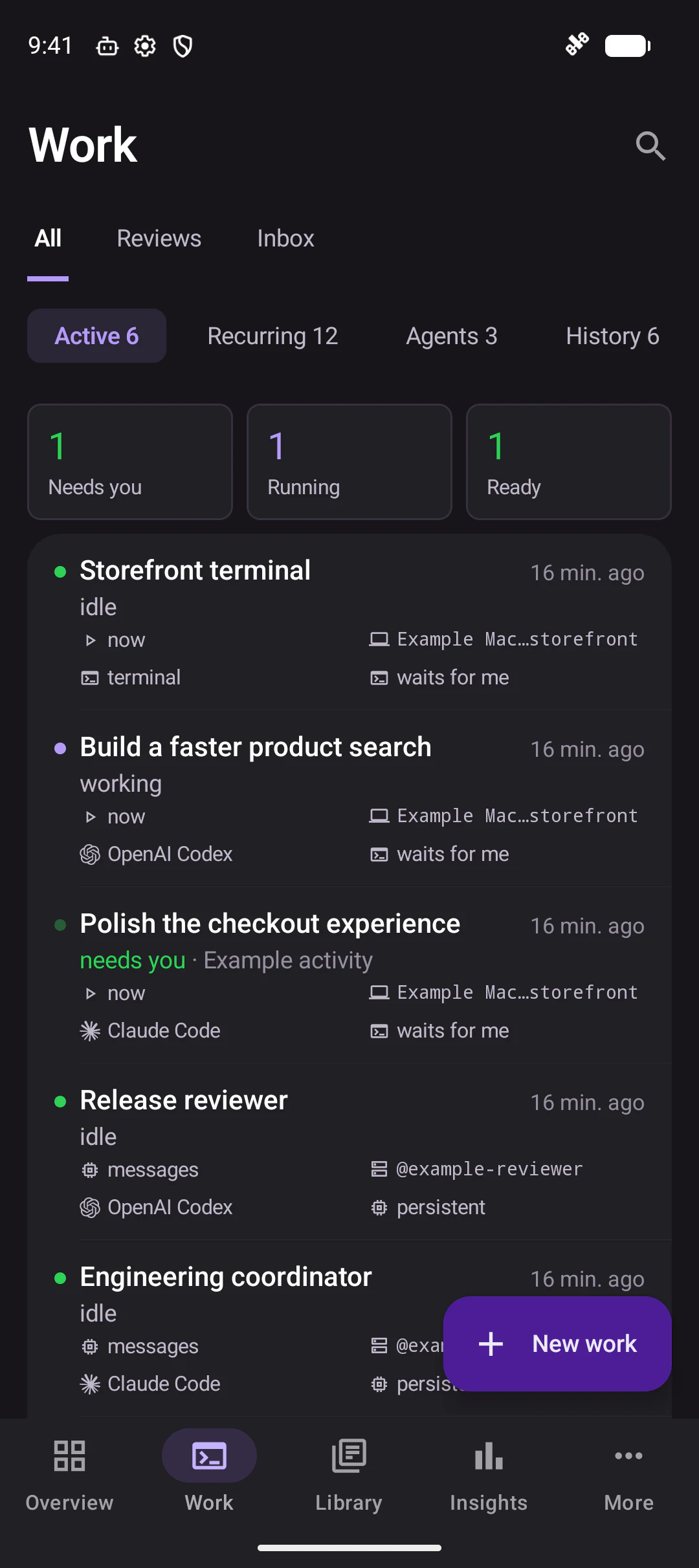
Native SwiftUI on iOS. Native Jetpack Compose on Android. Check the queue, read an agent’s conversation, open a terminal, or start something new.
Less checking. More context.
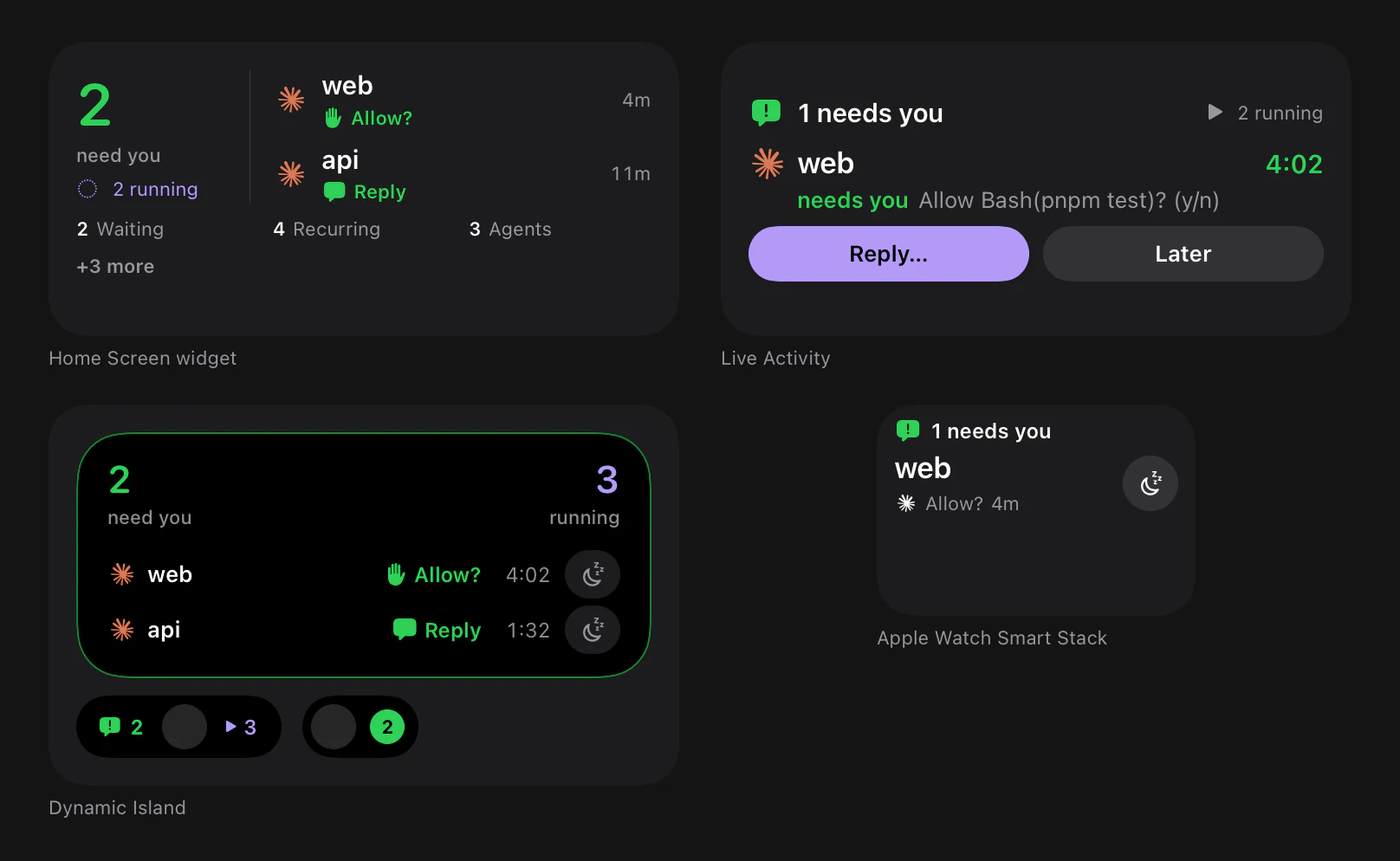
iOS widgets, Live Activities, Dynamic Island, and the Apple Watch Smart Stack put status and contextual actions within reach. Android adds home-screen widgets and an ongoing watch notification.
Apple surfaces shown here are native component captures with sample states. Watch support mirrors the iPhone Live Activity.
Run it on your terms
Connect your repositories, identity provider, tools, and machines. Choose which credentials each piece of work receives.
Use Kubernetes for managed execution or pair a machine with Optio Local. Repository work uses worktrees; local work uses the machine’s own CLI configuration.
Connections combine credentials, MCP tools, shell environment, and usage notes. Assign access by repo and runtime, with per-work overrides.
Sessions expose reconnecting, resumable, and lost states. Recoverable work is preserved, and uncertain outcomes require a decision before retrying side effects.
Use Helm with managed PostgreSQL and Redis, existing Kubernetes Secrets, OAuth or OIDC, and separate worker identities. The combined API/web deployment currently requires one replica.
A closer look
Open any capture at full size. These are the real web and native apps, using fictional demonstration data.
Start with one piece of work
Bring your Kubernetes cluster and an agent login. Start locally with Docker Desktop, or use the Helm guide for a managed deployment.
MIT licensed. Agent providers and infrastructure may have their own costs.
git clone https://github.com/jonwiggins/optio.git
cd optio
./scripts/setup-local.sh
Requires Docker Desktop with Kubernetes enabled.
Installation requirements and options ↗


